Adobe Acrobat vs PDFTrusted: An Honest Comparison
Facts checked on · By the PDFTrusted team
Adobe invented the PDF, and Acrobat Pro is still the deepest PDF application you can buy. PDFTrusted is a browser toolbox that runs the everyday jobs on your own device for a fraction of the price.
So this comparison is not “which is better” in the abstract. It is about which one matches the documents you actually handle: we compared tools, where the files go, redaction and signatures, and what a year really costs — including Adobe's early-cancellation fee.
Transparency note: PDFTrusted wrote this comparison, so we have tried hard to be fair. Competitor prices and features come from their own public pages, linked in Sources. If anything has changed, tell us and we will update it.
Executive Summary: Our Recommendation
👉 Adobe Acrobat wins on depth and evidence: 70+ tools on Pro, redaction, version compare, tracked signature requests, desktop and mobile apps, and third-party audited compliance attestations per product.
👉 PDFTrusted wins on privacy and price: the everyday tools never upload the file, there is no account for basic work, and Pro is $5.99 a month or $49 a year with no minimum term.
We compared them across 3 areas:
💡 Tip: A common pattern: keep Acrobat Pro for redaction, version compare and tracked signatures, and use a browser tool for the everyday merge-compress-sign loop on documents you would rather not upload.
Comparison Summary: Adobe Acrobat vs PDFTrusted
Stars show how strong each product is in that area. 🏆 marks the leader when there is one.
 PDFTrusted
Tools and depth
Deepest: 70+ tools, redaction, version compare, tracked signatures.
Everyday: The daily jobs, done in the browser without an upload.
Privacy and where files go
Audited platform: Third-party audited compliance attestations on its trust centre.
On-device: The everyday tools never upload the file.
Price and commitment
Premium: Deep toolset, professional price and an annual commitment.
Lowest monthly: $5.99 a month or $49 a year, no commitment.
Best for
Organisations that need the deepest PDF toolset, redaction with version comparison, tracked e-signature workflows and Adobe's audited compliance posture — and are willing to pay for an annual plan.
Open Adobe AcrobatStudents, professionals and anyone handling personal documents who want everyday PDF jobs done privately on their own device, ad-free, at the lowest monthly price.
Try PDFTrusted freeAdobe Acrobat vs PDFTrusted at a Glance
| Feature | Adobe Acrobat | PDFTrusted |
|---|---|---|
| Free plan | Reader + 25+ online tools | 20 jobs a day, no account |
| Paid plan (monthly) | AED 76.65 (Pro, annual billed monthly) | $5.99 |
| Paid plan (yearly) | Annual commitment, billed monthly | $49 |
| Early cancellation | Fee: half the remaining commitment | None, cancel any time |
| Max file size | Not stated on the pricing page | 100 MB |
| Everyday tools on your device | Desktop app only | Yes, 20 tools |
| Server file deletion window | Not stated on the pages we read | Within 1 hour |
| Compliance evidence | Audited attestations per product | No certification claimed |
| Redact / compare versions | Both (Pro) | Not yet |
| Signature requests | Yes, with tracking | No, self-sign only |
| AI tools | AI Assistant (Studio) | Chat, summarize, questions |
| Apps | Windows, macOS, iOS, Android | Browser only |
Prices for one user, before tax, as the vendor listed them on October 18, 2026 — Adobe and Sejda show local currency by region.
What is Adobe Acrobat?
“The company that invented the PDF, selling the deepest toolset”
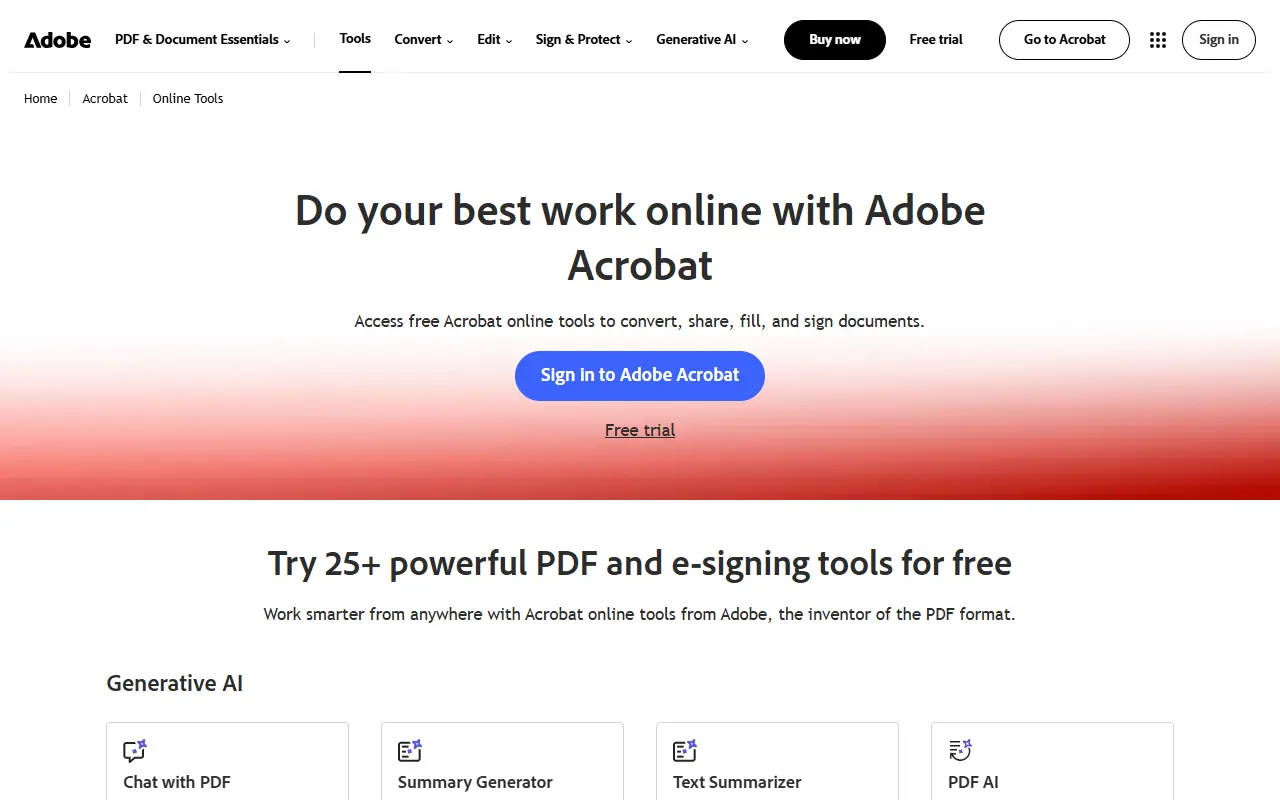
Adobe created the PDF format and still sells the reference implementation: Acrobat Reader is free, Acrobat Pro is the paid desktop and web app, and a separate Acrobat Studio plan adds the AI Assistant.
Its online hub offers 25+ free PDF and e-signing tools — convert, compress, edit pages, fill and sign, request signatures and protect — most of which ask you to sign in to an Adobe account.
Acrobat Pro is where the deeper work lives: 70+ tools, redaction, PDF version comparison, tracked signature requests and desktop apps. Adobe publishes third-party audited compliance attestations per product on its trust centre.
Best for: Organisations that need the deepest PDF toolset, redaction with version comparison, tracked e-signature workflows and Adobe's audited compliance posture — and are willing to pay for an annual plan.
What is PDFTrusted?
“Free PDF tools for every task, on any device”
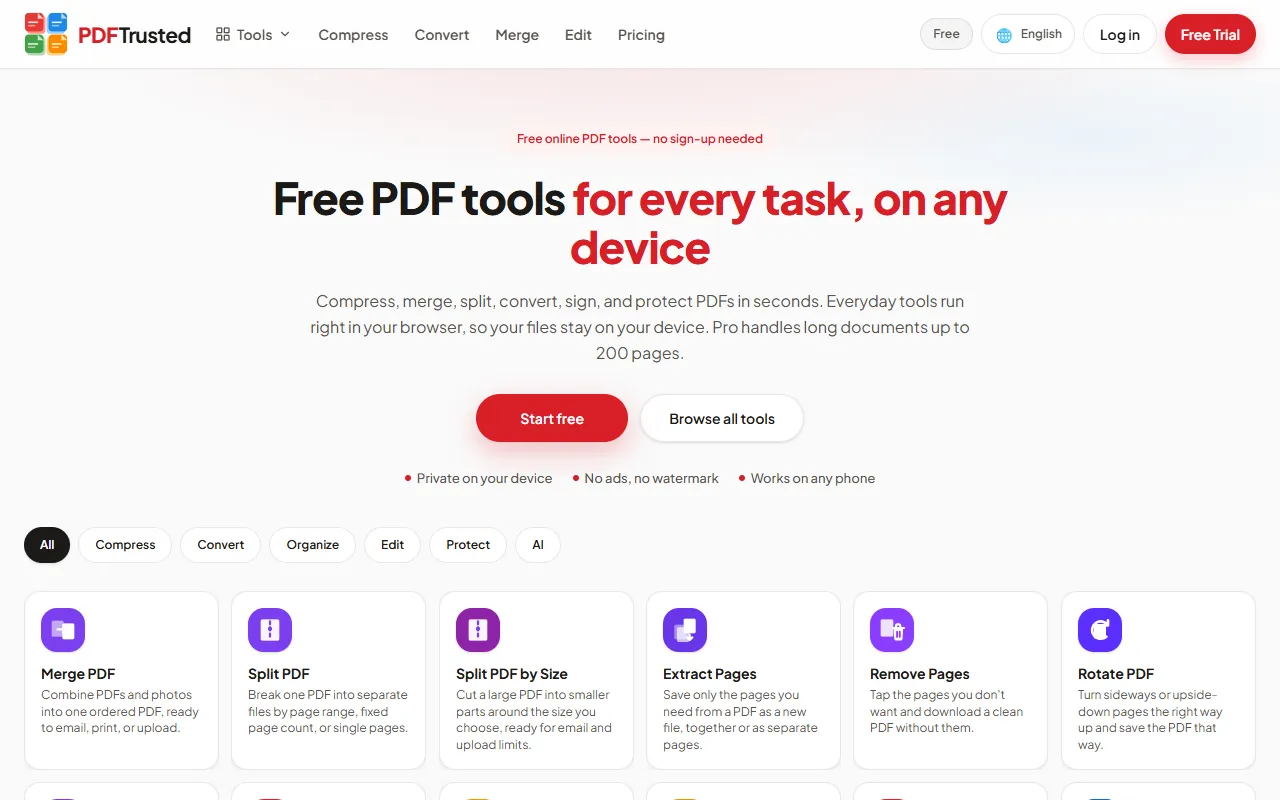
PDFTrusted is a newer, privacy-first PDF toolkit with 37 tools for organizing, compressing, converting, editing, signing, protecting and AI work. It is available in 18 languages and works in any modern browser on phone or desktop.
Its difference is where files go. Twenty everyday tools — merge, split, organize, compress, edit, sign, watermark, protect, unlock, image tools and more — run entirely inside your browser, so those files are never uploaded. OCR, Office conversion and AI run on a secure server, and those files are deleted within one hour.
The free plan has no ads, no watermark and needs no account for basic work. Pro is $5.99 a month or $49 a year and raises jobs to 200 pages, files to 100 MB, and adds 1 GB of storage.
Best for: Students, professionals and anyone handling personal documents who want everyday PDF jobs done privately on their own device, ad-free, at the lowest monthly price.
Adobe Acrobat vs PDFTrusted: Tools and depth
Adobe goes far deeper — 70+ tools on Pro, redaction and version compare — while PDFTrusted covers the everyday set on your device.
PDFTrustedAdobe sells the reference PDF suite; PDFTrusted sells a fast, private everyday toolbox. The question is which of those two shapes matches your week.
Everyday jobs: both finish them; PDFTrusted needs no account and no upload
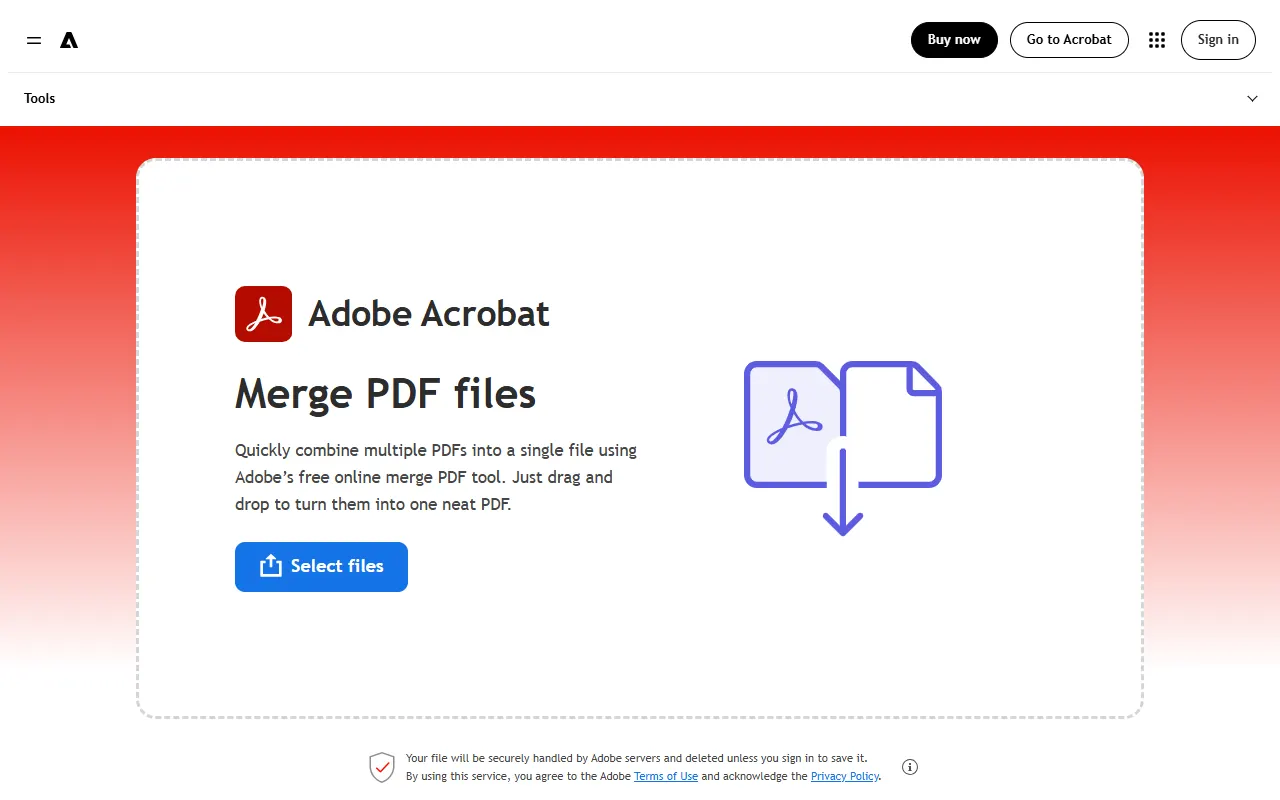
Adobe Acrobat: The online hub lists 25+ free tools — merge, split, compress, convert, page edits, fill and sign, protect — and most of them ask you to sign in to an Adobe account before you start. The merge page says the file is handled by Adobe servers and deleted unless you sign in to save it.
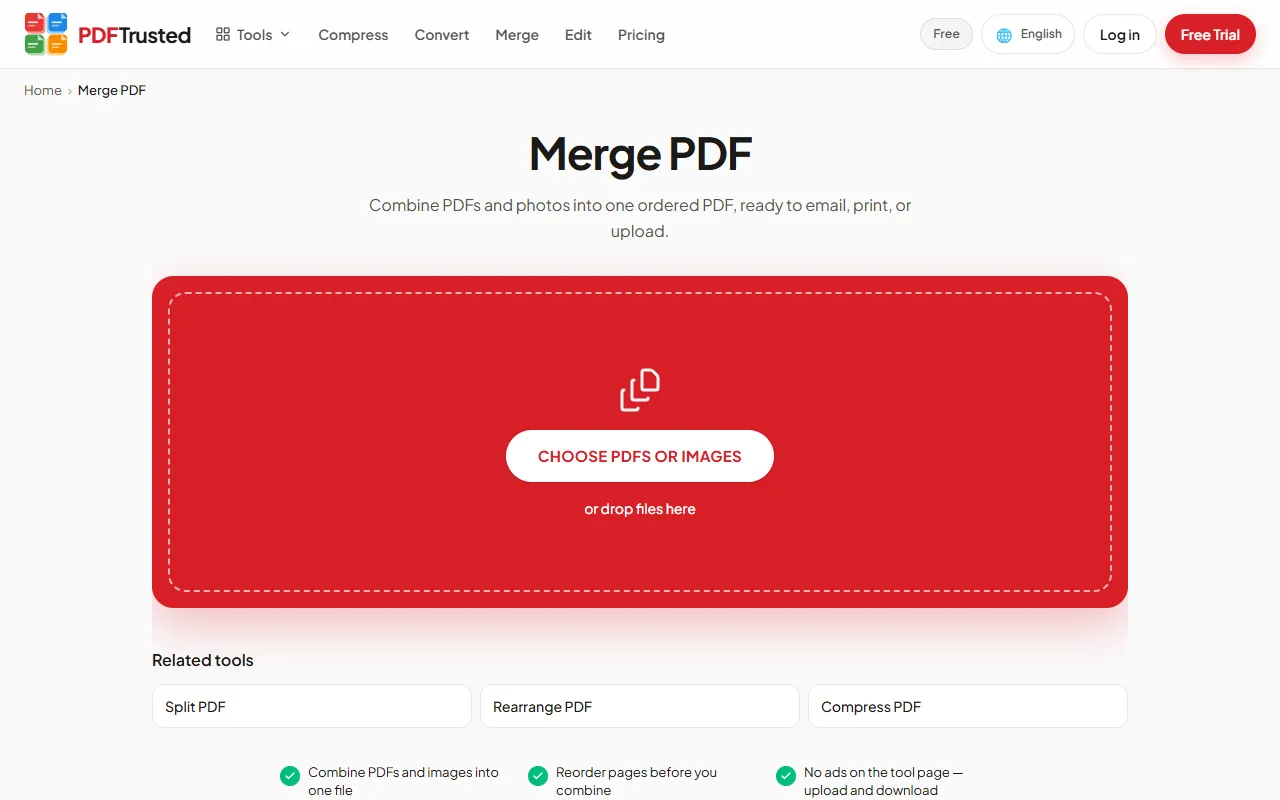
PDFTrusted: Twenty everyday tools — merge, split, organise, compress, convert, sign, protect, watermark, page numbers — run inside the browser. No account, and the file is never uploaded.
Specialist jobs: Adobe wins clearly; this is what the extra money buys
Adobe Acrobat: Acrobat Pro adds 70+ tools, redaction and PDF version comparison; Acrobat Standard, the cheaper plan, does not include redaction or version compare. Tracked signature requests live in the same app.
PDFTrusted: PDFTrusted does have redaction and PDF comparison, but not Adobe's 70+ tool breadth, tracked signature requests with an audit trail, or desktop and mobile apps. Those are the jobs that still send you to Acrobat.
Verdict: If you redact, compare versions or run tracked signature workflows, Adobe is the professional answer. If you merge, compress, convert and sign everyday documents, PDFTrusted does it without an upload for a fraction of the price.
Adobe Acrobat vs PDFTrusted: Privacy and where files go
Adobe processes online jobs on its servers under its own terms; PDFTrusted keeps the everyday tools on your device and deletes server jobs within an hour.
PDFTrustedBoth companies take security seriously, but they answer the question differently: one is an enterprise platform with audited controls, the other avoids the upload in the first place.
Where the work happens: opposite models — server platform versus on-device tools
Adobe Acrobat: The online tools process documents on Adobe's servers, while the desktop app works locally. The online tool pages we read do not state a per-file deletion window; retention is governed by Adobe's privacy terms.
PDFTrusted: Twenty tools run in the browser, so there is nothing to retain. The jobs that need a server — OCR, Office conversion, translate, AI — delete their files within one hour, and share links expire on the date you choose.
Paper trail and redaction: Adobe can prove more; PDFTrusted removes the exposure
Adobe Acrobat: Adobe publishes third-party audited compliance attestations per product, and Acrobat Pro redacts content and compares versions — useful when a document has to be defensible.
PDFTrusted: No certification claims: the security page states what is actually done (encrypted storage, short-lived signed URLs, no indexing, documented retention). Redaction is still on the roadmap.
Verdict: For procurement questionnaires and audited controls, Adobe has the paper. For keeping a personal or client document off someone else's server, PDFTrusted's on-device tools are the shorter path.
Adobe Acrobat vs PDFTrusted: Price and commitment
Adobe is a premium annual plan with an early-cancellation fee; PDFTrusted is $5.99 monthly or $49 a year, cancel any time.
PDFTrustedAdobe's plans are annual commitments billed monthly. That is normal for professional software, and it is also the biggest practical difference for a casual user.
Adobe Acrobat plans
| Plan | Free | Standard | Pro | Studio |
|---|---|---|---|---|
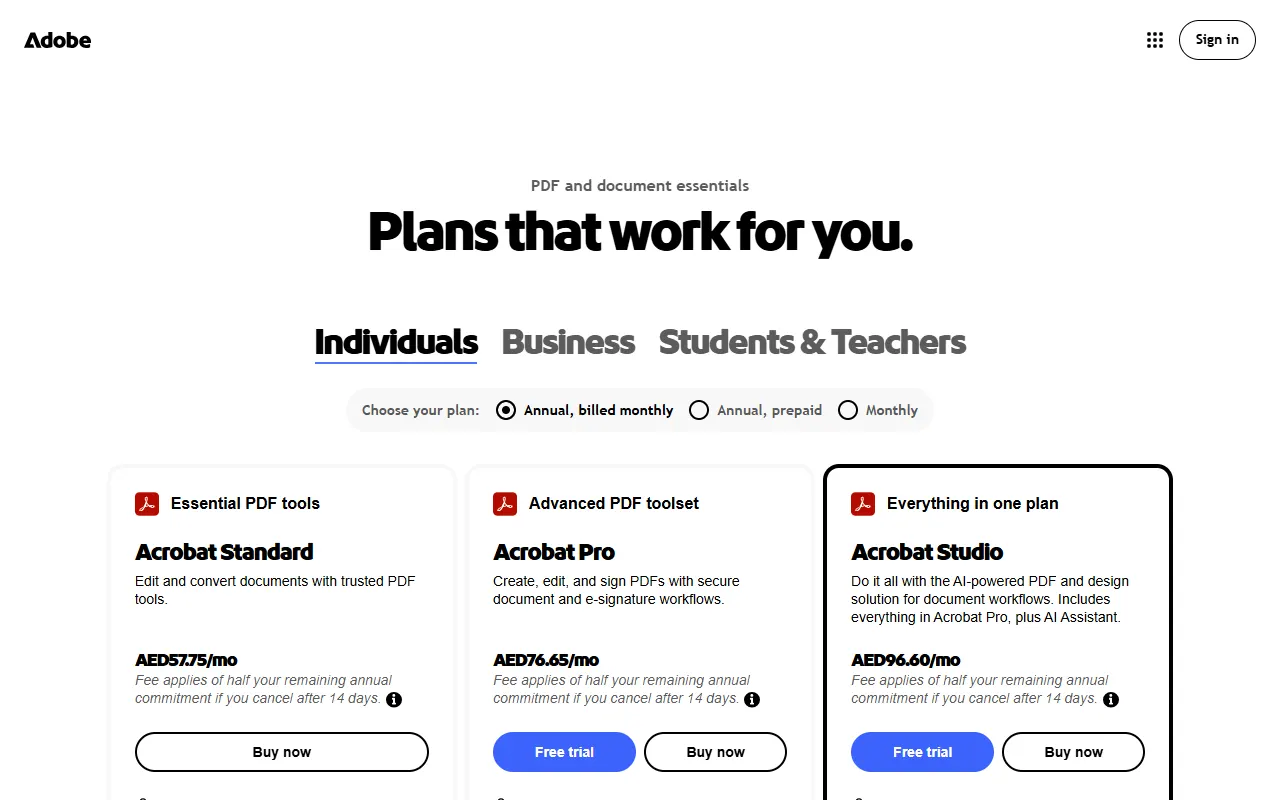
| Price | $0Acrobat Reader + 25+ online tools | AED 57.75/moannual plan, billed monthly | AED 76.65/moannual plan, billed monthly | AED 96.60/moannual plan, billed monthly |
| Includes |
|
|
|
|
Note: Adobe showed these prices in AED on 2026-10-18 because pricing is localised by region; US list prices differ. Cancelling more than 14 days into an annual plan carries a fee of half the remaining commitment.
PDFTrusted plans
| Plan | Free | Pro | Business |
|---|---|---|---|
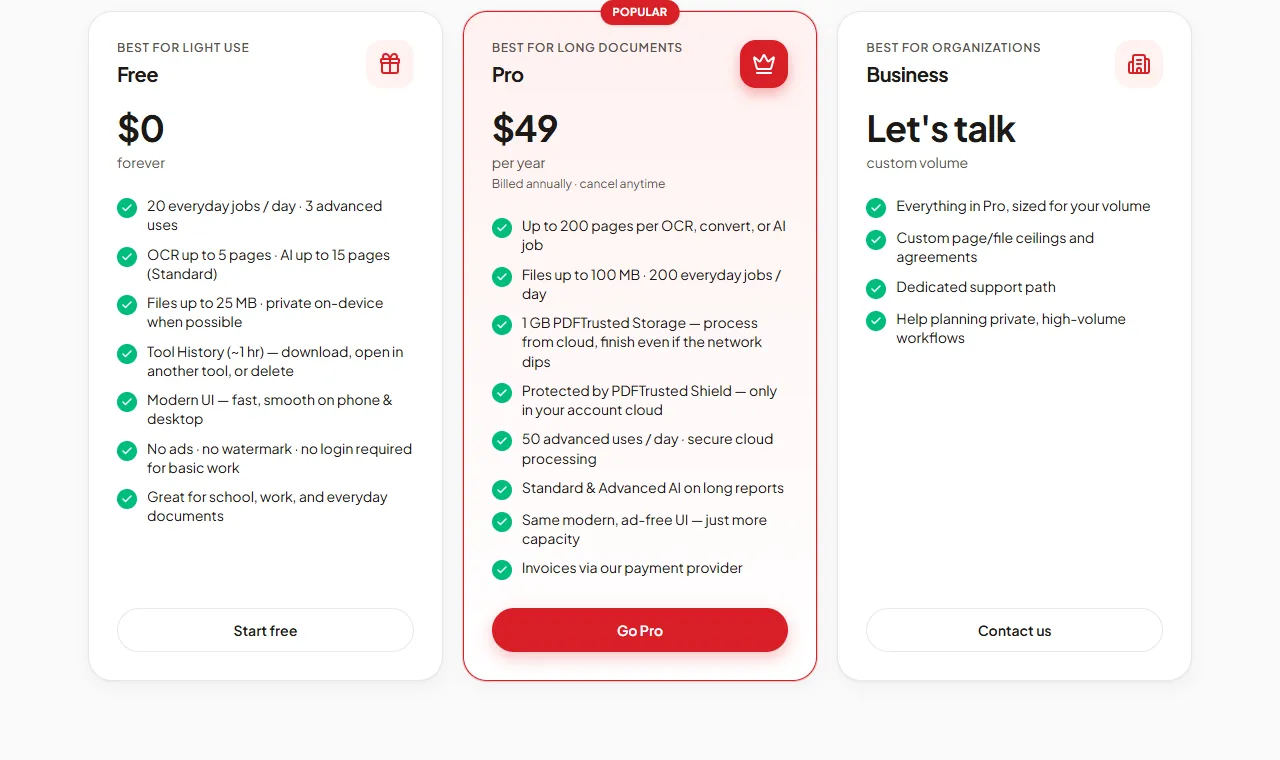
| Price | $0forever | $5.99/monthor $49/year | Customcustom volume |
| Includes |
|
|
|
Note: Payments run through our payment provider, with invoices on every paid plan. Cancel any time.
Commitment and cancellation: PDFTrusted cancels in a click; Adobe charges half the remaining year
Adobe Acrobat: Adobe showed Acrobat Pro at AED 76.65/month on an annual plan billed monthly, with a fee of half the remaining annual commitment if you cancel after 14 days. Prices are localised by region, so US list prices differ.
PDFTrusted: Pro is $5.99 a month or $49 a year, billed through our payment provider, cancel any time from the billing page. There is no minimum term and no cancellation fee.
What the money includes: Adobe sells tools and apps; PDFTrusted sells volume and privacy
Adobe Acrobat: Acrobat Pro includes 70+ tools, redaction, version compare, tracked signature requests and desktop/mobile apps. Acrobat Studio (AED 96.60/month in our region) adds the AI Assistant.
PDFTrusted: Pro includes 200 jobs a day, 50 advanced (server/AI) uses, 200 pages per job, 1 GB of saved files and the full toolset — with the everyday tools still running on your device.
Verdict: Adobe is priced like professional software and delivers professional depth. PDFTrusted is priced for everyday work and delivers it privately. Neither is overpriced for what it is; they are simply different products.
Adobe Acrobat vs PDFTrusted: Pros & Cons
Adobe Acrobat
Pros
- Deepest toolset: 70+ tools on Acrobat Pro, including redaction and version compare
- Request signatures and track responses inside the same app
- Desktop apps for Windows and macOS plus mobile apps
- Adobe publishes third-party audited compliance attestations per product
- AI Assistant available in the Acrobat Studio plan
- The online hub offers 25+ tools for free with an Adobe account
Cons
- Most expensive option here, and prices are shown in local currency by region
- Annual commitment billed monthly; cancelling after 14 days carries a fee of half the remaining commitment
- Redaction and version compare are Pro features — Acrobat Standard does not include them
- Free online tools push you into an Adobe account and the wider ecosystem
- The online tool pages we read do not state a per-file deletion window
PDFTrusted
Pros
- Twenty everyday tools run fully in your browser — those files are never uploaded
- Free plan with no ads, no watermark and no sign-up needed
- Lowest monthly price: $5.99 per month
- Server jobs (OCR, Office, AI) are deleted within one hour
- Built for phones as much as desktops
- AI chat, summarize and question generation with Standard and Advanced modes
Cons
- Smaller toolset: no redact, crop, compare, translate, PDF/A or form filler yet
- No desktop or native mobile apps — it runs in the browser
- No signature requests or audit trail; signing is for your own signature
- Pro files top out at 100 MB and 200 pages per job
- Newer brand without an ISO/IEC 27001 certificate
Final Verdict: Adobe Acrobat vs PDFTrusted and Who Each Is Best For
Best for: Organisations that need the deepest PDF toolset, redaction with version comparison, tracked e-signature workflows and Adobe's audited compliance posture — and are willing to pay for an annual plan.
PDFTrustedBest for: Students, professionals and anyone handling personal documents who want everyday PDF jobs done privately on their own device, ad-free, at the lowest monthly price.
Professional depth and everyday privacy are two different purchases.
Choose Adobe if the work has to be defensible — redaction, compared versions, tracked signature requests, audited controls. Choose PDFTrusted if most of your PDF work is everyday jobs on personal or client documents and you want those to stay on your device for a lower monthly price.
Use Adobe Acrobat if:
- You redact documents and compare versions before they go out
- You need signature requests with tracking in the same tool
- You want desktop-class editing on Windows or macOS
- Your procurement team asks for audited compliance attestations
- You want AI assistance built into the PDF app (Acrobat Studio)
Use PDFTrusted if:
- You want everyday files (merge, compress, sign, protect) processed on your own device, never uploaded
- You want a free plan with no ads, no watermark and no sign-up
- You want the lowest monthly price: $5.99
- You work in one of 18 languages with native, localized tool pages
- Your documents are up to 200 pages and 100 MB
Frequently Asked Questions
What is a good cheaper alternative to Adobe Acrobat?
For everyday PDF work, PDFTrusted Pro is $5.99 a month or $49 a year and runs most tools in the browser. It does not replace Acrobat Pro's redaction, version compare or tracked signature workflows, so heavy professional editing still belongs in Acrobat.
How much does Adobe Acrobat cost?
On 2026-10-18 Adobe showed Acrobat Standard at AED 57.75/month, Pro at AED 76.65/month and Studio at AED 96.60/month in our region, on annual plans billed monthly. Adobe localises prices by region, so the US list price differs, and cancelling after 14 days carries a fee of half the remaining commitment.
Do I need an Adobe account to use the free tools?
Most of the 25+ online tools ask you to sign in to an Adobe account before the job starts. PDFTrusted's everyday tools need no account at all.
Which one is safer for confidential documents?
Adobe publishes audited compliance attestations and processes online jobs on its servers under its privacy terms. PDFTrusted avoids the upload for 20 everyday tools, keeping the file on your device, and deletes server jobs within one hour.
Does PDFTrusted support redaction or signature requests?
Not yet. Signing your own signature, annotating, watermarking and protecting are supported; redaction and multi-party signature requests are on the published roadmap.
How we compared and sources
We used each product’s public website as a regular visitor would, and took every price, limit and security claim from the company’s own pages on October 18, 2026. Star ratings are our editorial judgment of how well each product serves that area, and we gave competitors the top score wherever they lead. Screenshots show each product’s public pages as they appeared that day.
- Adobe Acrobat plans and pricing
- Adobe Acrobat online tools
- Adobe Trust Center — compliance
- PDFTrusted pricing
- PDFTrusted security
iLovePDF and Smallpdf are trademarks of their respective owners. This page is not affiliated with or endorsed by them.