Sejda vs PDFTrusted: Two Small, Honest PDF Tools Compared
Facts checked on · By the PDFTrusted team
Sejda is the quiet one in this market: a Dutch company with a compact toolbox, no signup for basic use, and a desktop app that processes files locally. PDFTrusted shares that no-nonsense tone from the browser side.
We compared the two on tools, where files go and how long they stay, sharing features, and price — including the $5 week pass that makes Sejda attractive for occasional work.
Transparency note: PDFTrusted wrote this comparison, so we have tried hard to be fair. Competitor prices and features come from their own public pages, linked in Sources. If anything has changed, tell us and we will update it.
Executive Summary: Our Recommendation
👉 Sejda wins on flexibility and clarity: no signup for free use, a $5 week pass, a desktop app for Windows, macOS and Linux, and a privacy policy that states files are deleted after processing with no backups.
👉 PDFTrusted wins on sharing and volume: private links with expiry, embeds with a domain allowlist, 200 jobs a day and 1 GB of storage on Pro for $5.99 a month.
We compared them across 3 areas:
💡 Tip: If you process a handful of documents a month, Sejda's $5 week pass is cheaper than any subscription here. If you share documents with other people, PDFTrusted's expiring links and embeds are the difference.
Comparison Summary: Sejda vs PDFTrusted
Stars show how strong each product is in that area. 🏆 marks the leader when there is one.
 PDFTrusted
Tools and depth
Compact: The core tools, plus a desktop app that runs offline.
Everyday plus sharing: Daily tools in the browser, with private links and embeds.
Privacy and file retention
Clearly stated: Outputs deleted after processing, no backups, 7-day shared links.
On-device: Most tools never create a server copy.
Price and limits
Flexible: A week pass, monthly, or annual with the desktop app.
Lowest monthly: $5.99 a month or $49 a year, no commitment.
Best for
People who want a compact, no-nonsense toolset — especially anyone who prefers a desktop app that never uploads their documents — and occasional users who would rather pay $5 for a week than subscribe for a month.
Open SejdaStudents, professionals and anyone handling personal documents who want everyday PDF jobs done privately on their own device, ad-free, at the lowest monthly price.
Try PDFTrusted freeSejda vs PDFTrusted at a Glance
| Feature | Sejda | PDFTrusted |
|---|---|---|
| Free plan | No signup; 50 pages or 50 MB, 3 tasks per hour | 20 jobs a day, no account |
| Paid plan (monthly) | $7.50 (Web Monthly) | $5.99 |
| Paid plan (yearly) | $63 (Desktop + Web) | $49 |
| Short-term option | $5 week pass | None |
| Max file size (paid) | 500 MB per file | 100 MB |
| Everyday tools on your device | Desktop app only | Yes, 20 tools |
| Server file deletion | 2 hours on tool pages; no backups | Within 1 hour |
| Shared link expiry | 7 days (auto-deleted) | 1, 7 or 30 days, you choose |
| ISO/IEC 27001 | No claim found | No |
| Embed with domain allowlist | Not offered | Yes |
| AI tools | None comparable | Chat, summarize, questions |
| Apps | Windows, macOS, Linux desktop | Browser only |
Prices for one user, before tax, as the vendor listed them on October 18, 2026 — Adobe and Sejda show local currency by region.
What is Sejda?
“A small, honest PDF toolbox with a desktop app that works offline”
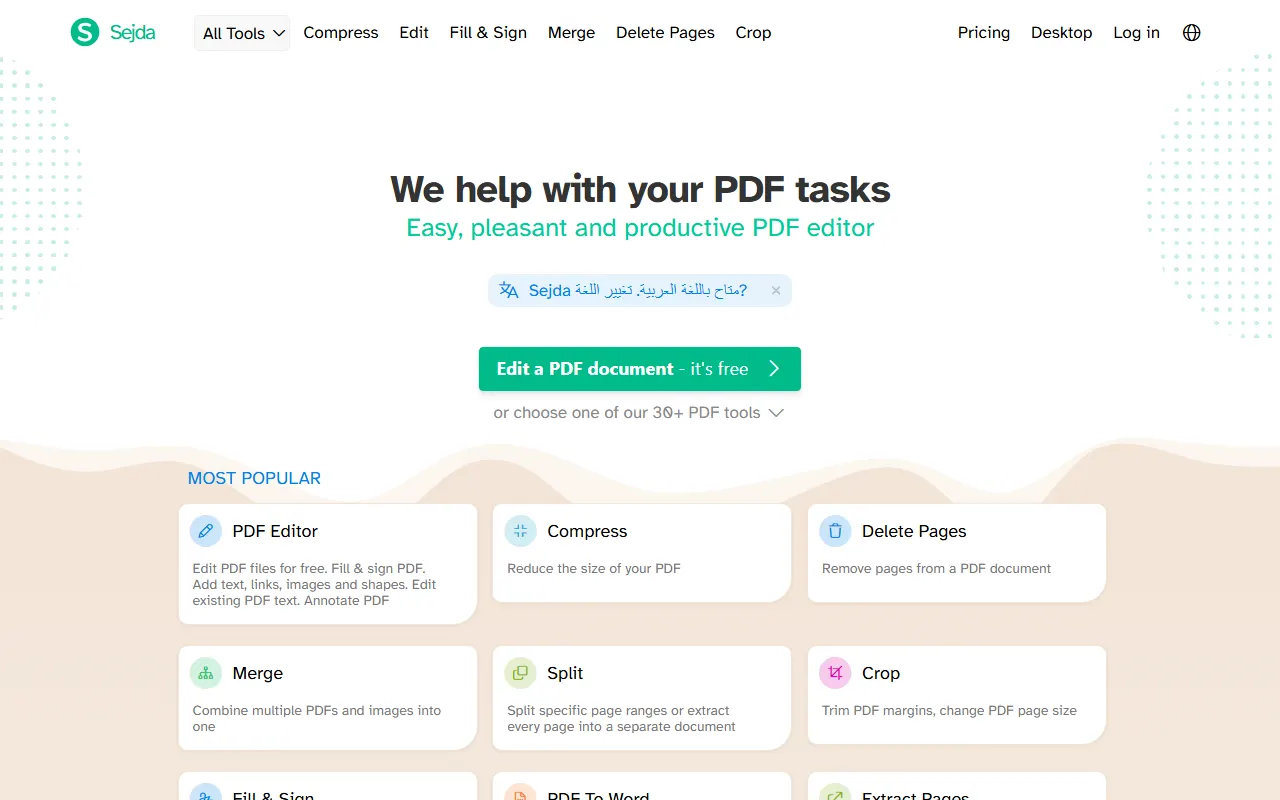
Sejda is a Dutch company (Sejda BV, Amsterdam) offering a compact set of PDF tools on the web plus Sejda Desktop, a downloadable app for Windows, macOS and Linux that processes documents on your own computer.
The free tier needs no signup and has page, hourly and upload limits per tool. Paid plans remove those limits, allow uploads up to 500 MB per file, OCR up to 100 pages, and raise the per-task processing time to 21 minutes.
Its privacy policy says uploaded files and processed outputs are permanently deleted after processing, with no backups, and public share links are deleted automatically after 7 days.
Best for: People who want a compact, no-nonsense toolset — especially anyone who prefers a desktop app that never uploads their documents — and occasional users who would rather pay $5 for a week than subscribe for a month.
What is PDFTrusted?
“Free PDF tools for every task, on any device”
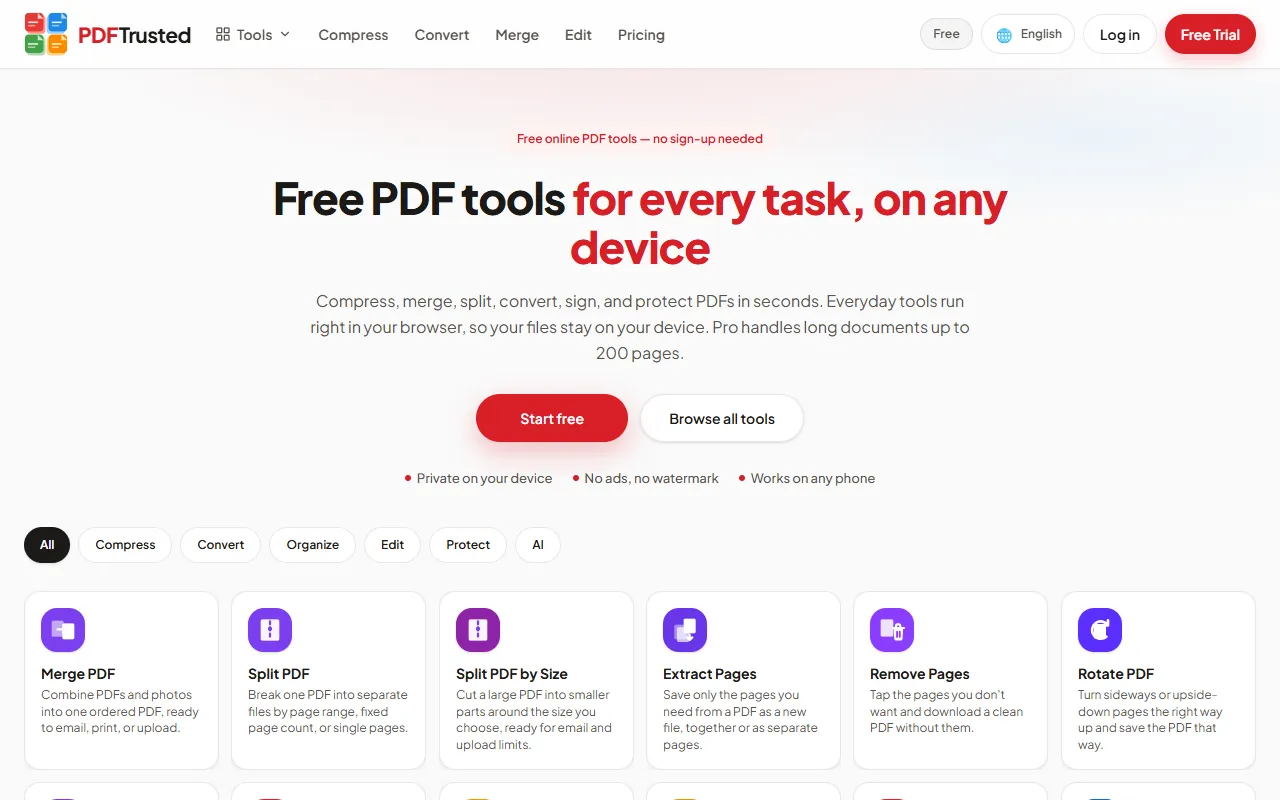
PDFTrusted is a newer, privacy-first PDF toolkit with 37 tools for organizing, compressing, converting, editing, signing, protecting and AI work. It is available in 18 languages and works in any modern browser on phone or desktop.
Its difference is where files go. Twenty everyday tools — merge, split, organize, compress, edit, sign, watermark, protect, unlock, image tools and more — run entirely inside your browser, so those files are never uploaded. OCR, Office conversion and AI run on a secure server, and those files are deleted within one hour.
The free plan has no ads, no watermark and needs no account for basic work. Pro is $5.99 a month or $49 a year and raises jobs to 200 pages, files to 100 MB, and adds 1 GB of storage.
Best for: Students, professionals and anyone handling personal documents who want everyday PDF jobs done privately on their own device, ad-free, at the lowest monthly price.
Sejda vs PDFTrusted: Tools and depth
Sejda is a compact, honest toolbox with an offline desktop app; PDFTrusted covers the daily jobs in the browser and adds share links and embeds.
PDFTrustedSejda deliberately keeps things small: a handful of well-made tools and a desktop app. PDFTrusted takes the same no-nonsense tone but spreads the work across more browser tools.
Everyday jobs: both handle them; PDFTrusted needs no upload, Sejda needs no account
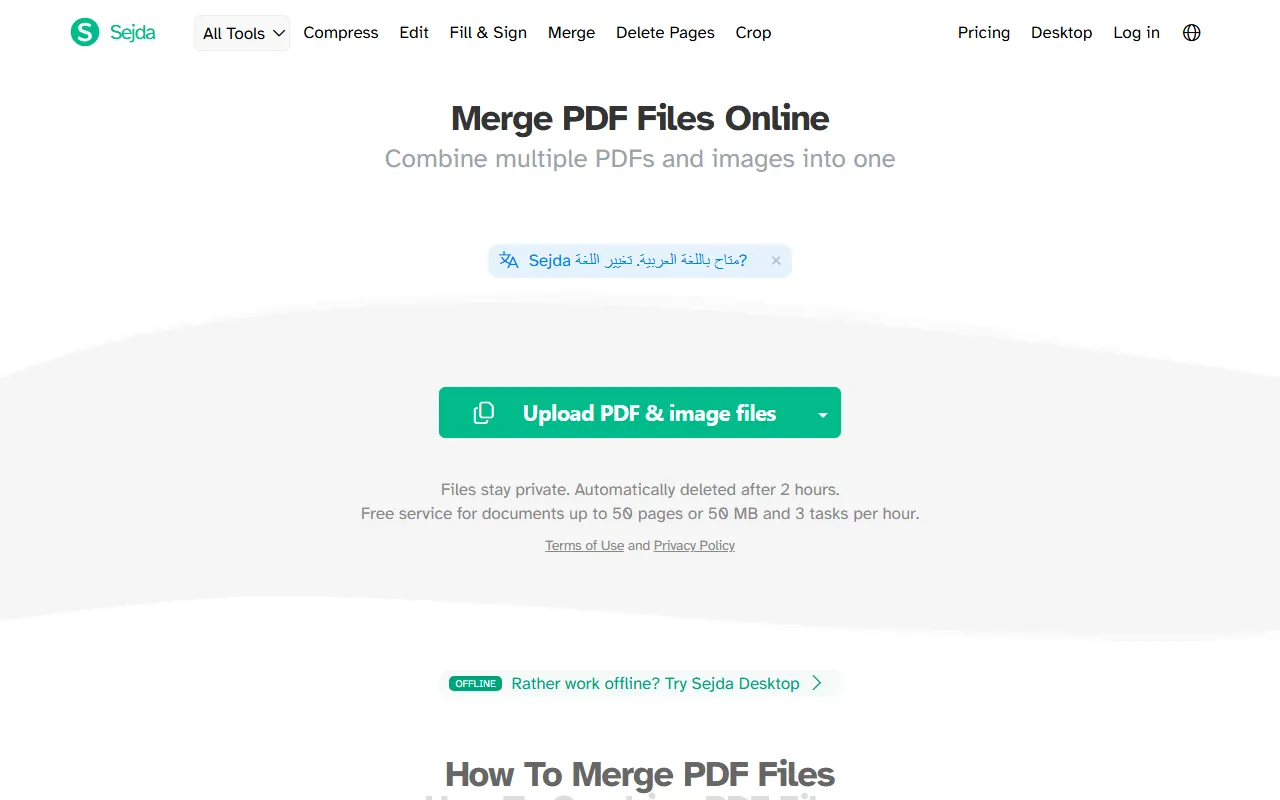
Sejda: Free use needs no signup: the merge page states documents up to 50 pages or 50 MB and 3 tasks per hour, with tool-specific limits on top. Editing, compressing, converting, filling and signing are all there.
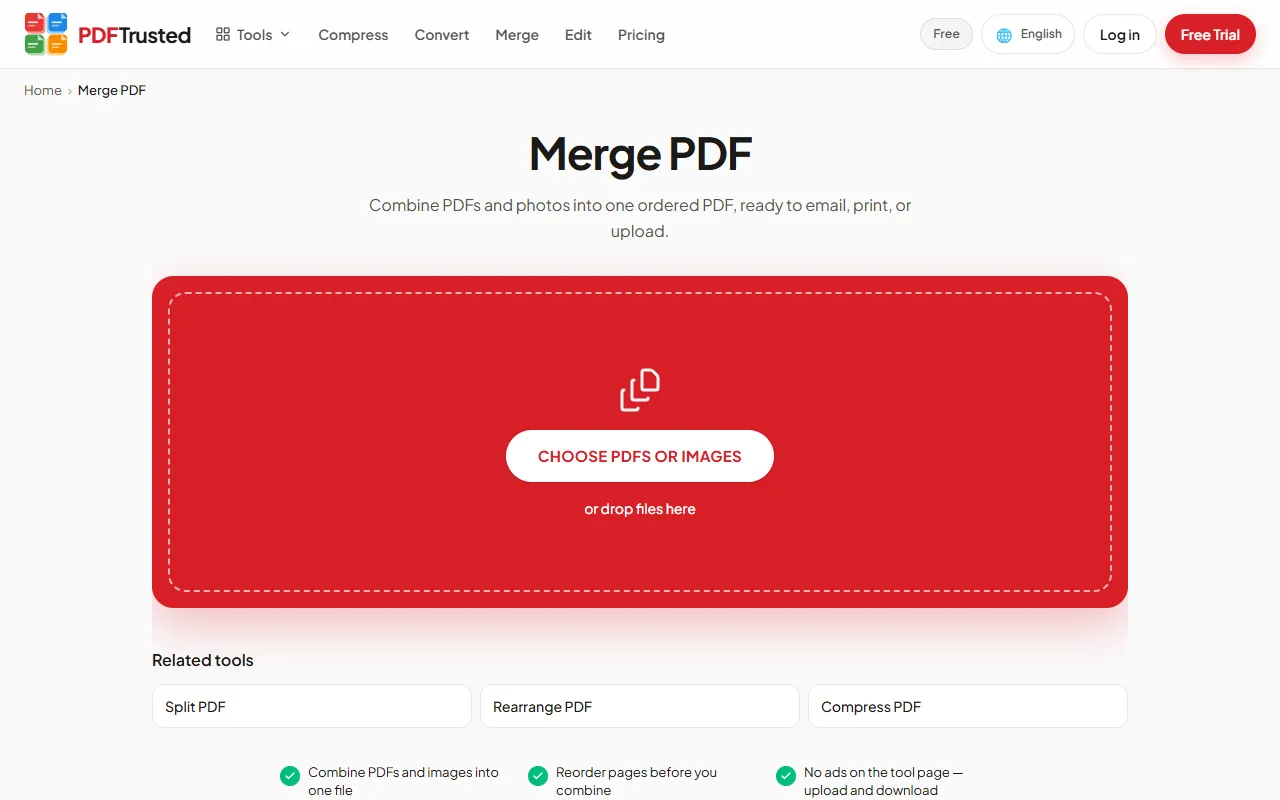
PDFTrusted: Twenty local tools cover the same everyday set, plus a 20-jobs-a-day free allowance and no account. Nothing is uploaded for those tools.
Where each goes further: Sejda has the offline desktop app; PDFTrusted has sharing built in
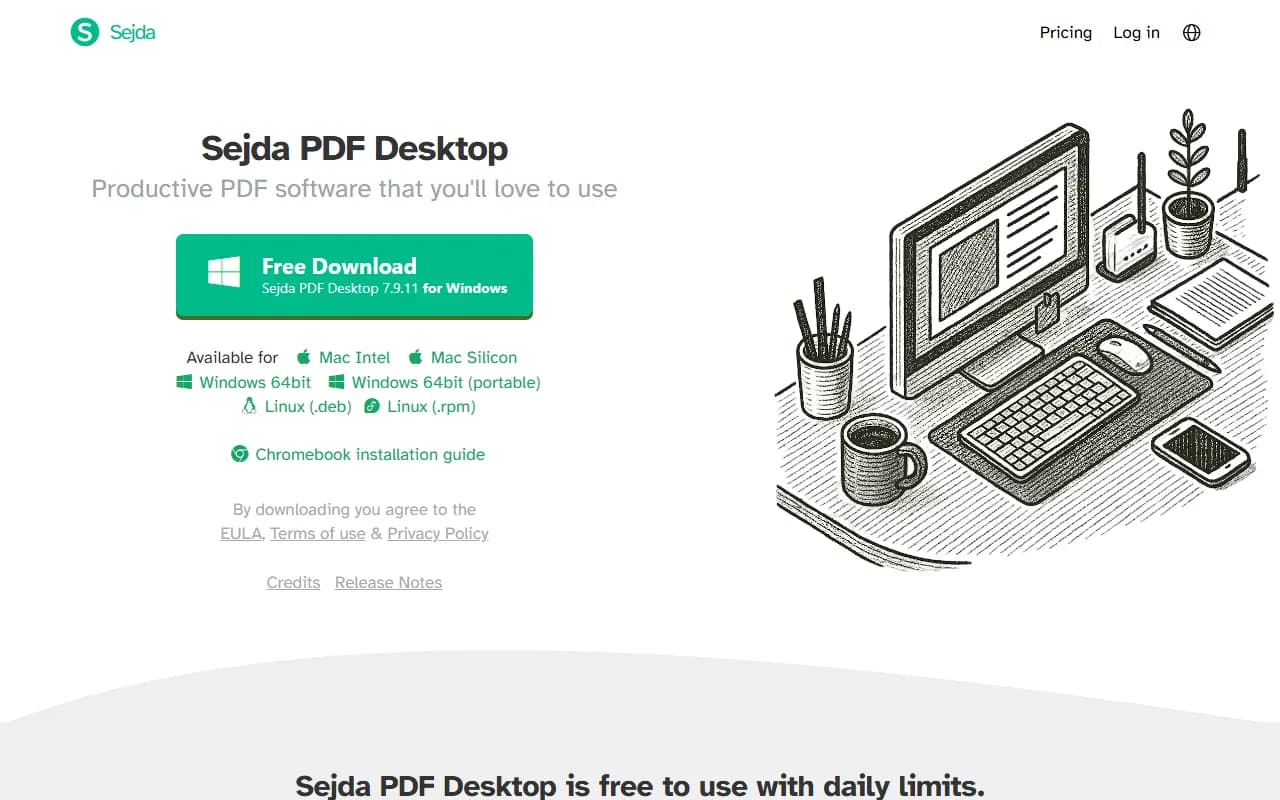
Sejda: The desktop app for Windows, macOS and Linux processes documents locally, and Sejda's own page describes it as free to use with daily limits. Paid plans raise uploads to 500 MB per file, OCR to 100 pages and task time to 21 minutes.
PDFTrusted: Share links with 1/7/30-day expiry, embeds with a domain allowlist, an annotator and PDF-to-office conversions are included — sharing and collaboration pieces Sejda does not sell.
Verdict: For offline desktop work, Sejda Desktop is the point of Sejda. For browser jobs that also need a private link, an embed or an annotation layer, PDFTrusted covers more without asking for an account.
Sejda vs PDFTrusted: Privacy and file retention
Sejda states plainly that files and outputs are deleted after processing, with no backups; PDFTrusted avoids uploading everyday files at all.
PDFTrustedThis is the area where Sejda deserves credit: its privacy policy answers the retention question in one sentence instead of burying it.
Where files go and how long they stay: both are transparent; PDFTrusted removes the server copy entirely for everyday tools
Sejda: Web tools upload to Sejda's servers. Its privacy policy says uploaded files and processed outputs are permanently deleted after upload or processing, no backups are made, and public share links are deleted after 7 days; the merge page states files are deleted after 2 hours.
PDFTrusted: Everyday tools run in the browser. Server jobs (OCR, Office, translate, AI) delete their files within an hour, and share links expire on a date you choose and can be deleted on demand.
Security evidence: neither claims a certification; both describe what they actually do
Sejda: Sejda's security page describes HTTPS everywhere, encryption in transit and at rest, no employee access without consent, and a PCI-compliant payment processor. No ISO/IEC 27001 claim appears on those pages.
PDFTrusted: The security page states encrypted storage, short-lived signed URLs, no search indexing and documented retention. No certification is claimed because none has been issued.
Verdict: If you are comfortable uploading, Sejda's retention promise is one of the clearest in the market. If you would rather not upload at all for everyday jobs, PDFTrusted is the shorter path.
Sejda vs PDFTrusted: Price and limits
Sejda sells a $5 week pass, $7.50 a month or $63 a year with the desktop app; PDFTrusted is $5.99 a month or $49 a year.
PDFTrustedSejda's pricing is unusually honest for this market: a one-off week pass sits next to monthly and annual plans, and the limits are listed as a short list rather than a comparison chart.
Sejda plans
| Plan | Free | Week Pass | Web Monthly | Desktop + Web |
|---|---|---|---|---|
| Price | $0no signup | $5one-time, 7 days | $7.50/morecurring | $63/yearrecurring, save 30% over monthly |
| Includes |
|
|
|
|
Note: Prices from Sejda's pricing page on 2026-10-18. Team plans start at two members with volume discounts; all plans can be cancelled from the account page.
PDFTrusted plans
| Plan | Free | Pro | Business |
|---|---|---|---|
| Price | $0forever | $5.99/monthor $49/year | Customcustom volume |
| Includes |
|
|
|
Note: Payments run through our payment provider, with invoices on every paid plan. Cancel any time.
Plan shapes: Sejda wins for occasional use; PDFTrusted wins for steady monthly use
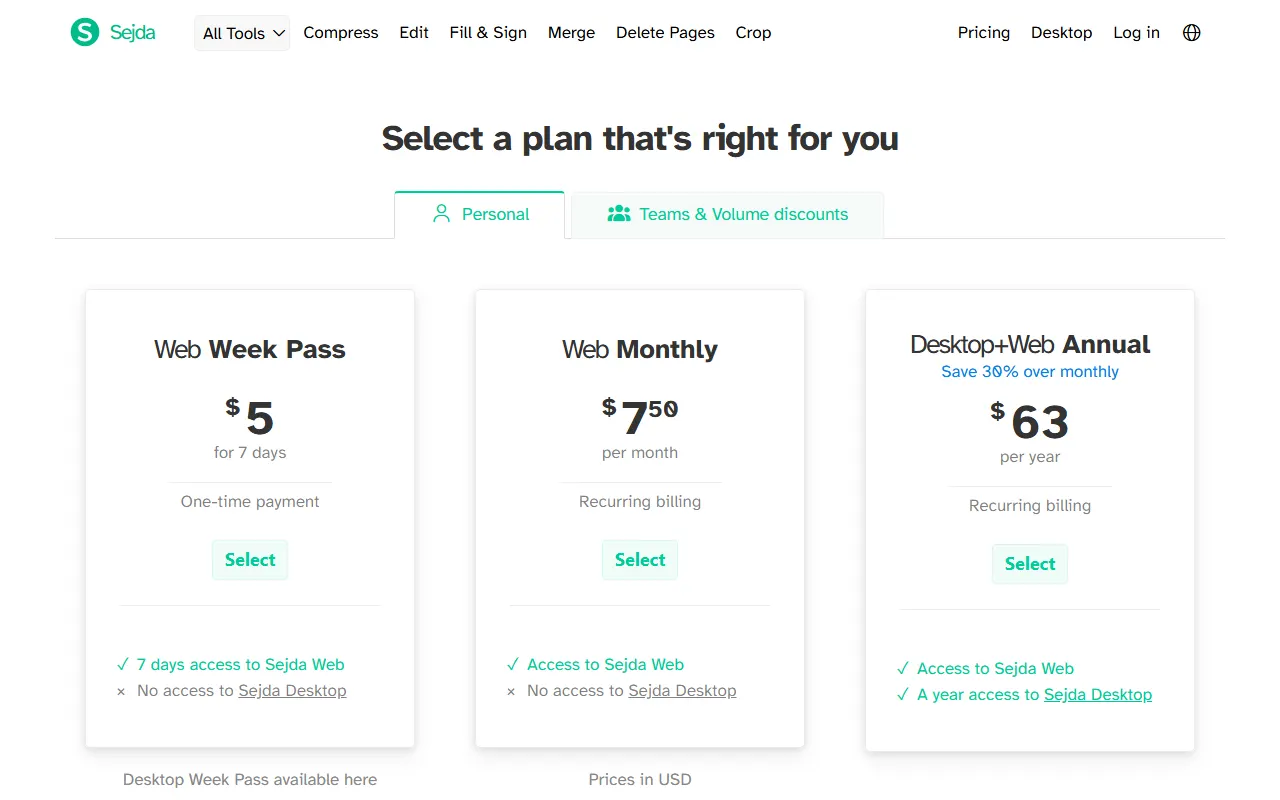
Sejda: Week Pass $5 for 7 days (one-time), Web Monthly $7.50, Desktop + Web Annual $63 (30% off monthly). Teams get volume discounts from two members.
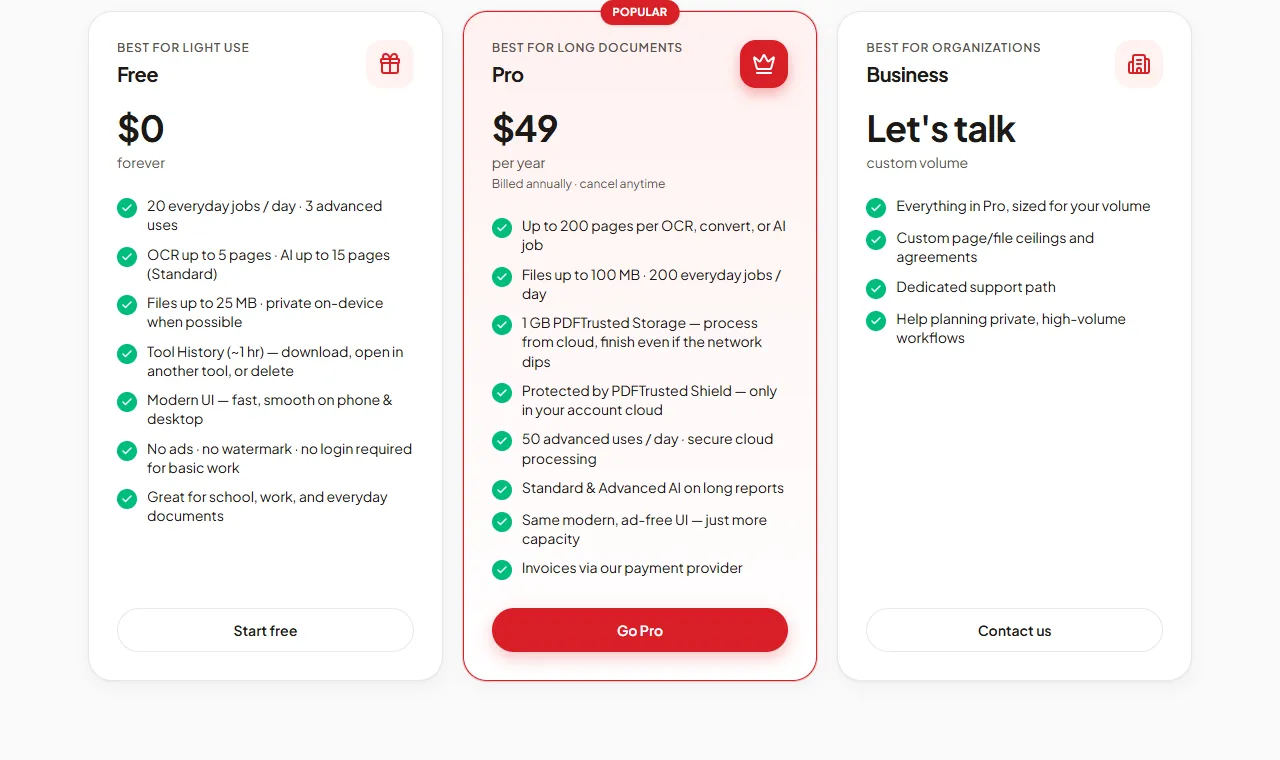
PDFTrusted: Free with 20 everyday jobs a day, Pro at $5.99 monthly or $49 yearly. No week pass and no desktop app — the product is the browser.
Limits you actually get: Sejda allows bigger single files; PDFTrusted allows more jobs and storage
Sejda: Paid plans remove page and hourly limits, allow 500 MB per file, OCR up to 100 pages, multiple files at once and up to 21 minutes per task.
PDFTrusted: Free allows 20 jobs a day and 3 advanced uses; Pro raises this to 200 and 50 a day, 200 pages per job, 100 MB files and 1 GB of saved storage.
Verdict: A once-a-month user should take Sejda's $5 week pass. A steady user paying monthly gets more jobs, storage and sharing from PDFTrusted at a lower monthly price.
Sejda vs PDFTrusted: Pros & Cons
Sejda
Pros
- Desktop app for Windows, macOS and Linux processes files locally
- Free tier works without an account
- Paid plans: 500 MB per file, OCR up to 100 pages, 21 minutes per task
- Week Pass at $5 for 7 days — no subscription
- Privacy policy states files and outputs are deleted after processing, no backups
- Public share links expire automatically after 7 days
Cons
- Free tier is limited by pages, hourly quotas and upload size
- The web tools upload documents to Sejda's servers
- No ISO/IEC 27001 claim found; the security page describes HTTPS, encryption at rest and access controls only
- Smaller toolset and shallower specialist features than Adobe or iLovePDF
- No AI tools comparable to the other suites
PDFTrusted
Pros
- Twenty everyday tools run fully in your browser — those files are never uploaded
- Free plan with no ads, no watermark and no sign-up needed
- Lowest monthly price: $5.99 per month
- Server jobs (OCR, Office, AI) are deleted within one hour
- Built for phones as much as desktops
- AI chat, summarize and question generation with Standard and Advanced modes
Cons
- Smaller toolset: no redact, crop, compare, translate, PDF/A or form filler yet
- No desktop or native mobile apps — it runs in the browser
- No signature requests or audit trail; signing is for your own signature
- Pro files top out at 100 MB and 200 pages per job
- Newer brand without an ISO/IEC 27001 certificate
Final Verdict: Sejda vs PDFTrusted and Who Each Is Best For
Best for: People who want a compact, no-nonsense toolset — especially anyone who prefers a desktop app that never uploads their documents — and occasional users who would rather pay $5 for a week than subscribe for a month.
PDFTrustedBest for: Students, professionals and anyone handling personal documents who want everyday PDF jobs done privately on their own device, ad-free, at the lowest monthly price.
One is built around a desktop app; the other around sharing a link.
Use Sejda Desktop when the document must never leave the machine and the job happens occasionally. Use PDFTrusted when the job happens in a browser and needs to end as a private link, an embed or an annotation layer.
Use Sejda if:
- You want a desktop app that processes PDFs offline
- You need a few jobs this week and would rather not subscribe monthly
- You want simple, transparent per-plan limits
- You handle documents whose retention policy you want stated plainly
- You are a small team that wants volume pricing from two seats
Use PDFTrusted if:
- You want everyday files (merge, compress, sign, protect) processed on your own device, never uploaded
- You want a free plan with no ads, no watermark and no sign-up
- You want the lowest monthly price: $5.99
- You work in one of 18 languages with native, localized tool pages
- Your documents are up to 200 pages and 100 MB
Frequently Asked Questions
What is a good alternative to Sejda?
PDFTrusted is a browser-based alternative for everyday PDF work: 20 jobs a day on Free with no account, and Pro at $5.99 a month. Sejda's advantage is its offline desktop app and the $5 week pass.
How much does Sejda cost?
Sejda's pricing page on 2026-10-18 listed a $5 week pass, Web Monthly at $7.50, and Desktop + Web Annual at $63 per year (30% off the monthly rate). Team plans start at two members with volume discounts.
Does Sejda keep my files?
Sejda's privacy policy says uploaded files and processed outputs are permanently deleted after upload or processing respectively, no backups are made, and public share links are deleted automatically after 7 days.
Can Sejda share a PDF as a link with an expiry?
Sejda can generate a public link for a processed file, and its policy says that link and the file are deleted after 7 days. PDFTrusted lets you choose 1, 7 or 30 days, keep the file view-only, and delete it yourself at any time.
Which is better for a team?
Sejda sells team plans from two members with volume discounts. PDFTrusted uses one account per person today; team billing is on the roadmap and is not sold early — the /teams page says exactly what exists.
How we compared and sources
We used each product’s public website as a regular visitor would, and took every price, limit and security claim from the company’s own pages on October 18, 2026. Star ratings are our editorial judgment of how well each product serves that area, and we gave competitors the top score wherever they lead. Screenshots show each product’s public pages as they appeared that day.
- Sejda pricing
- Sejda security
- Sejda privacy policy (file retention)
- PDFTrusted pricing
- PDFTrusted security
iLovePDF and Smallpdf are trademarks of their respective owners. This page is not affiliated with or endorsed by them.